用image对象的rotate方法对图像进行旋转变换,该方法的语法格式为:
code.python
img.rotate(angle,resample,expand,center,translate,fillcolor)其中各参数的含义为:
- angle: 旋转角度,度为单位,逆时针方向为正
- resample: 重采样,最近邻插值
- expand: 布尔值,对图像进行扩展
- center: 旋转中心,(x0,y0),默认为图像中心
- translate:: 参见上节
- fillcolor: 填充颜色,对图像之外的区域进行颜色填充
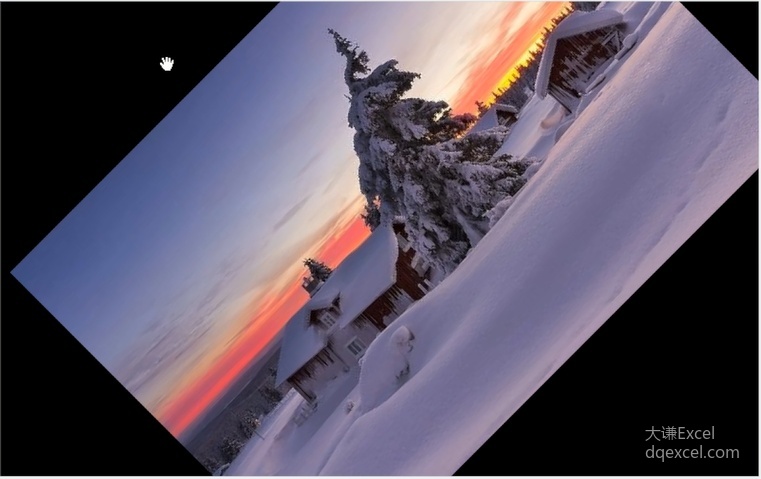
下面的代码打开一个图像,用image对象的rotate方法对图像进行旋转,绕图像中心逆时针方向旋转45度。
code.python
>>> from PIL import Image
>>> img=Image.open('D:\\pic.jpg')
>>>
>>> img=img.rotate(45)    #逆时针方向旋转
旋转效果如下图所示。
也可以使用image对象的transpose方法对图像进行旋转。
code.python
>>> img=img.transpose(Image.ROTATE_90)
>>> img=img.transpose(Image.ROTATE_180)
>>> img=img.transpose(Image.ROTATE_270)
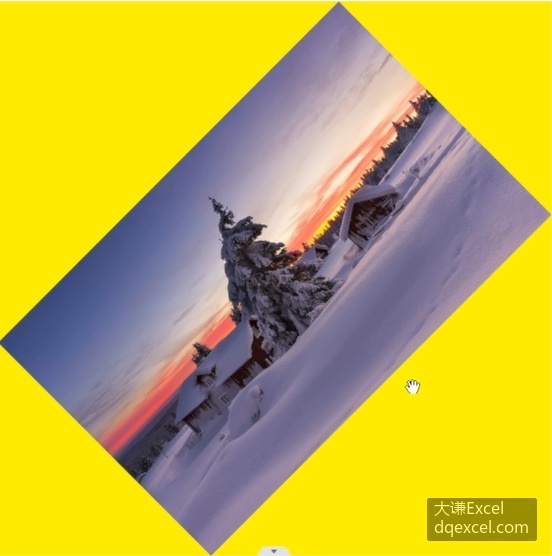
注意,上面用rotate方法对图像进行旋转时,旋转后的图像按照原图像的大小进行了裁剪,转到外面的部分就被裁剪掉了。设置rotate方法的expand参数的值为True,可以对图像进行扩展,完整显示旋转后的图像。
code.python
>>> img=img.rotate(angle=45,expand=True,fillcolor=(255,255,0))
>>> img.show()
效果如下图所示。现在旋转后的图像完整显示出来了。