大谦
Excel
首页
Excel课程
Excel操作技巧
Excel函数和公式
VBA课程
VBA vs Python双语对照学习
Excel VBA vs Python xlwings对照学习
Excel VBA图表绘制
Excel VBA高级图表绘制
Word VBA教程
PPT VBA教程
Python课程
VBA vs Python双语对照学习
Excel VBA vs Python xlwings对照学习
精通xlwings
精通OpenPyXL
精通pandas
精通win32com
用Python绘制Excel图表
用Python绘制Excel图表高级篇
Python In Excel插件教程
用Python处理Word
用Python处理PPT
Matplotlib和Seaborn绘图
Power BI Python脚本编程
用Python处理图片
用Python处理PDF文件
用Python处理音频和视频
AI课程
Excel AI智能体
Excel Python Chatgpt三合一
用Coze开发Excel AI智能体
其他课程
xlChart+图表插件使用教程
数据与工具
支持
首页
xlChart图表插件
第19章 配对图
绘制简单配对图
绘制简单配对图
数据格式
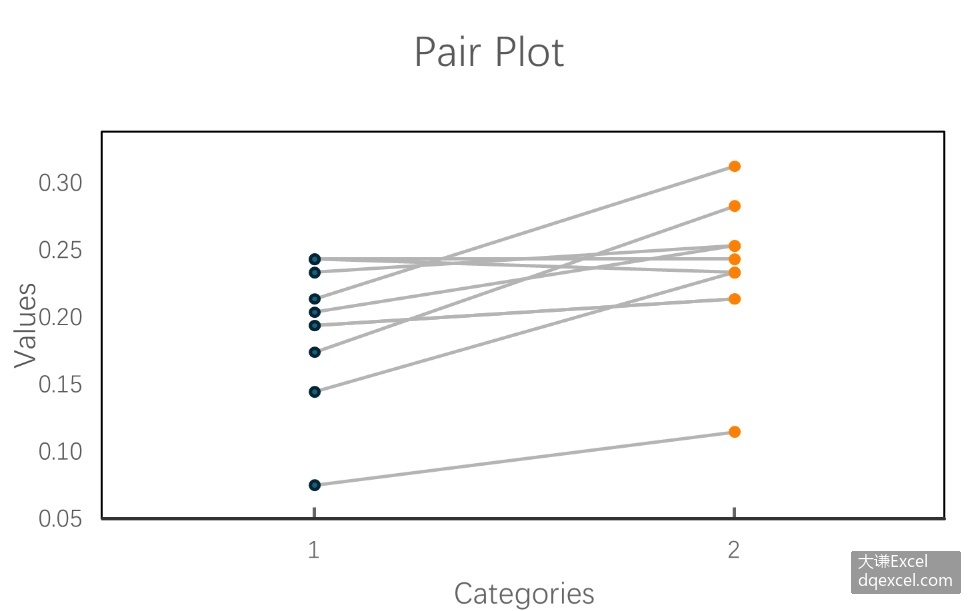
选择 B2:B11,单击 xlChart+ 功能区中的
按钮,然后单击“配对图”项以打开“创建配对图”对话框,在“数据 2 区域”字段中输入 C2:C11,单击“确定”按钮。